KIB Monitor Panel System Manual: A Comprehensive Guide
This manual details the KIB Monitor System, offering troubleshooting, diagnosis, and maintenance guidance for monitor panels like M20FVWNP and M21NPVW.
It covers PCB issues, water heater monitoring, and electrical system considerations, alongside KIB Enterprises Inc. contact details and service manual access.
The KIB Monitor System is a crucial component in modern recreational vehicles (RVs), providing essential information regarding tank levels, water heater operation, and overall system health. KIB Enterprises Inc. has designed this system to enhance the RV experience by offering convenient monitoring capabilities directly from the monitor panel.
This system simplifies the management of onboard resources, preventing overfilling of tanks and ensuring efficient water heater usage. Understanding the system’s functionality, as detailed in this manual, is vital for both RV owners and service professionals. Proper operation and maintenance, guided by this document, will maximize the lifespan and reliability of your KIB Monitor System.
The system’s design prioritizes user-friendliness and accurate readings, contributing to a more enjoyable and worry-free RV lifestyle.
Understanding the KIB Monitor Panel
The KIB Monitor Panel serves as the central interface for accessing vital RV system data. Models like M20FVWNP and M21NPVW display information received from sensors located throughout the vehicle, including holding tanks and the water heater. The panel’s functionality relies heavily on the Printed Circuit Board (PCB) – specifically SUBPCBM20F or SUBPCBM21 – which processes sensor signals and illuminates the display.
Understanding the panel’s layout and indicator lights is key to interpreting system status. A dead display often indicates a power issue or a faulty PCB, requiring a 12V DC and ground check. Proper wiring and grounding are essential for accurate readings and reliable operation.
System Components
The KIB Monitor System comprises several key components working in unison. Primarily, there are the Monitor Panel models – M20FVWNP and M21NPVW – each utilizing a specific Printed Circuit Board (PCB) for operation: SUBPCBM20F for the M20FVWNP and SUBPCBM21 for the M21NPVW. Crucially, Holding Tank Probes are strategically located to accurately measure tank levels.

These probes transmit data to the PCB, which then displays the information on the panel. The system also integrates with the RV’s 12V DC power supply and relies on a solid grounding system. Proper function depends on intact coach wiring, free from open or short circuits, ensuring reliable data transmission and display.
Monitor Panel Models (M20FVWNP, M21NPVW)
KIB offers two primary Monitor Panel models: the M20FVWNP and the M21NPVW. Both panels serve the same core function – displaying levels for fresh, gray, and black water tanks – but may differ in physical dimensions and specific feature implementations. The M20FVWNP utilizes the SUBPCBM20F replacement PCB, while the M21NPVW is designed to work with the SUBPCBM21.
Understanding your specific model is crucial for accurate troubleshooting and parts replacement. Refer to the panel’s labeling or original RV documentation to confirm the model number. Proper operation relies on a functioning PCB and correctly installed Holding Tank Probes.
Printed Circuit Board (PCB) – SUBPCBM20F, SUBPCBM21
The Printed Circuit Board (PCB) is the central processing unit of the KIB Monitor Panel. Two versions exist: SUBPCBM20F for the M20FVWNP model and SUBPCBM21 for the M21NPVW. A dead display, even with 12V DC and ground present, often indicates a faulty PCB requiring replacement.
Common issues include short circuits and broken components. Careful visual inspection for damage is essential. Troubleshooting involves verifying power delivery and checking for continuity. Replacement PCBs are available directly from KIB Enterprises Inc. Ensure the correct PCB is used for your specific Monitor Panel model to guarantee compatibility and functionality.
Holding Tank Probe Locations
Accurate readings from your KIB Monitor System rely on correctly positioned holding tank probes. These probes detect fluid levels within the fresh, gray, and black water tanks, transmitting data to the monitor panel. Proper installation is crucial for reliable monitoring.
Refer to the Insert Guide for detailed diagrams illustrating optimal probe placement within each tank. Ensure probes are securely mounted and make consistent contact with the tank walls. Incorrect positioning can lead to inaccurate readings or system malfunctions. The diagnosis guide emphasizes verifying probe functionality during troubleshooting.
Troubleshooting Common Issues
This section addresses frequent problems encountered with the KIB Monitor System. A primary concern is a display that fails to illuminate; begin by verifying 12V DC power and a solid ground connection at the panel. Coach wiring issues, specifically open circuits, can disrupt signal transmission.
Short circuits on the printed circuit board (PCB) or broken PCB components are also common culprits. Systematic diagnosis, as outlined in the diagnosis guide, is essential. Remember to check for continuity and voltage levels. Addressing these issues promptly ensures accurate tank level monitoring and prevents further system damage.

Display is Dead – 12V DC and Ground Check
If the monitor panel display is unresponsive, the initial step involves confirming the presence of 12V DC power and a reliable ground connection. Utilize a multimeter to verify voltage at the designated test points on the PCB.
A lack of voltage indicates a problem with the power supply or wiring upstream from the panel. If 12V DC and ground are present, but the display remains dark, the PCB itself is likely faulty and requires replacement. This simple check isolates the issue, preventing unnecessary investigation of other system components.
Coach Wiring Issues – Open Circuits
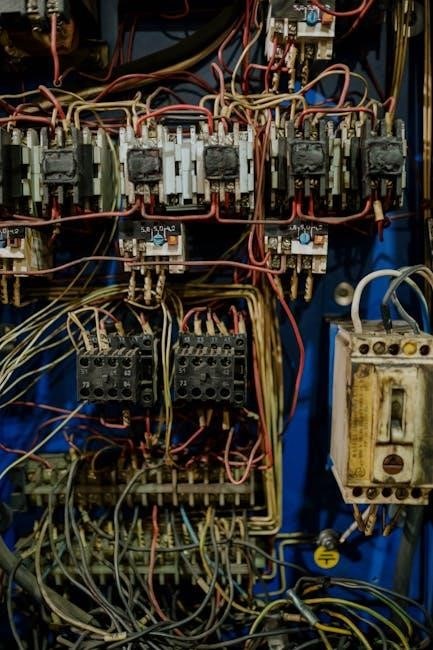
Open circuits within the coach wiring harness can prevent the KIB Monitor System from functioning correctly. Begin by visually inspecting the wiring for any obvious breaks, corrosion, or loose connections.
Employ a multimeter in continuity mode to trace the wiring between the monitor panel and the relevant sensors or switches. A lack of continuity confirms an open circuit. Common causes include damaged wires, corroded connectors, or blown fuses. Repairing or replacing the affected wiring segment is crucial for restoring system operation. Always disconnect power before working with wiring.
Short Circuits on the Printed Circuit Board

Short circuits on the PCB (SUBPCBM20F, SUBPCBM21) represent a critical failure point for the KIB Monitor System. These often manifest as a complete loss of functionality or erratic behavior. Visually inspect the PCB for any signs of burnt components, damaged traces, or foreign objects causing unintended connections.
Using a multimeter in resistance mode, check for shorts between power and ground rails. A low resistance reading indicates a short. Identifying and repairing the short – often requiring component replacement – is essential. If the damage is extensive, PCB replacement is typically the most practical solution.
Broken PCB Components
Broken PCB components, such as resistors, capacitors, or integrated circuits, can disrupt the KIB Monitor System’s operation; Visual inspection is crucial; look for cracked, burnt, or physically damaged parts on the SUBPCBM20F or SUBPCBM21 boards. A multimeter can verify component functionality – checking for continuity in resistors, capacitance in capacitors, and proper voltage readings.
Replacing faulty components requires soldering skills and appropriate tools. Ensure the replacement part has the correct specifications. If component identification is difficult, consult the KIB parts list or seek assistance from a qualified technician. A damaged PCB may necessitate complete board replacement.
Diagnosis Guide: Isolating the Malfunction
Isolating the malfunction within the KIB Monitor System requires a systematic approach. Begin by verifying 12V DC power and a solid ground connection at the monitor panel. If power is present, but the display remains dead, suspect a faulty printed circuit board (PCB).
Next, investigate coach wiring for open circuits. Check connections at the monitor panel and the holding tank probes. Utilize the Insert Guide for probe location details. If the PCB is suspect, examine it for short circuits or broken components. Thorough testing will pinpoint the source of the issue.

Water Heater Usage and Monitoring
The KIB Monitor System integrates with your RV’s water heater, providing crucial usage information. Begin by checking for water in the tank; proper operation relies on adequate water levels. The system monitors the status of the two water heater switches, displaying their current state on the monitor panel.
Refer to the Water Heater Usage Guide for detailed instructions on operation and troubleshooting. Understanding the switch integration allows for accurate monitoring of water heater activity. Ensure proper functionality for efficient and safe operation during your travels.
Checking for Water in the Tank
Prior to operating your water heater, verifying the presence of water within the tank is essential for safe and efficient functionality. The KIB Monitor System doesn’t directly measure water level, but relies on proper filling. Consult your RV’s water heater manual for specific instructions on filling procedures.
Insufficient water can cause damage to the heating element. Regularly inspect the tank’s capacity and ensure it’s adequately filled before activating the water heater switches monitored by the KIB panel. Proper water levels are crucial for optimal performance and longevity of your system.
Water Heater Switch Integration
The KIB Monitor Panel integrates with your RV’s water heater switches to provide operational status and monitoring capabilities. Typically, there are two switches – one for electric operation and another for propane. The panel displays the activation state of these switches, indicating whether the water heater is currently utilizing either power source.
Ensure the switches are correctly wired to the monitor panel’s designated inputs. Incorrect wiring can lead to inaccurate readings or prevent proper monitoring. Refer to the wiring diagrams in this manual and the KIB documentation for specific connection details. Proper integration ensures accurate water heater status display.
Replacement Parts and PCB Information
KIB Enterprises Inc. offers replacement parts for the Monitor Panel System, ensuring continued functionality. For Monitor Panel model M20FVWNP, the corresponding replacement Printed Circuit Board (PCB) is SUBPCBM20F. Similarly, for model M21NPVW, utilize replacement PCB SUBPCBM21.
When ordering, always verify the panel model number to ensure compatibility. KIB provides detailed PCB schematics and component lists upon request, aiding in repair efforts. Contact KIB directly for current pricing and availability of replacement parts. Proper PCB replacement restores full system operation.
Electrical System Considerations
The KIB Monitor System operates on a 12V DC power supply, requiring a stable voltage for accurate readings. Grounding issues are a common source of malfunction; ensure a solid chassis ground connection for the monitor panel. Verify consistent voltage at the panel terminals during operation.
Inspect wiring for corrosion or loose connections, as these can disrupt the electrical system. A dedicated fuse protects the monitor panel; replace it with the correct amperage rating if blown. Improper wiring or voltage fluctuations can damage the PCB, necessitating replacement.
12V DC Power Supply
The KIB Monitor System is designed to function optimally with a stable 12V DC power supply. Fluctuations or insufficient voltage can lead to inaccurate readings or complete monitor panel failure. Always verify the voltage at the panel’s connection points using a multimeter.
Ensure the power source is adequately rated to handle the monitor panel’s current draw. A dedicated fuse, appropriately sized for the system, is crucial for protection. Check for corroded or loose wiring connections, as these impede proper power delivery. Consistent 12V DC is vital for reliable operation and longevity of the system.
Grounding Issues
Proper grounding is essential for the reliable operation and safety of the KIB Monitor System. A poor or absent ground can cause erratic readings, electrical interference, and potentially damage the monitor panel or associated components. Verify the ground connection at the panel and the vehicle’s chassis.
Inspect the grounding wire for corrosion, breaks, or loose connections. Use a multimeter to confirm continuity between the panel’s ground terminal and the vehicle’s frame. Addressing grounding issues promptly prevents inaccurate data and safeguards the electrical system from potential hazards. A solid ground is paramount for accurate monitoring.
Maintenance and Care
Regular maintenance ensures the longevity and accuracy of your KIB Monitor System. Periodically inspect the monitor panel for dust accumulation and clean the display with a soft, dry cloth. Avoid abrasive cleaners or liquids. Check all wiring connections for tightness and corrosion, particularly those related to the holding tank probes.
Verify the PCB is free from physical damage. Routine checks of the 12V DC power supply are also recommended. Following these simple care steps will help maintain reliable performance and prevent unexpected malfunctions, ensuring accurate monitoring of your RV’s systems.
Safety Precautions
Always disconnect the 12V DC power supply before performing any maintenance or troubleshooting on the KIB Monitor System. Never attempt repairs if you are uncomfortable working with electrical systems; consult a qualified technician. Avoid exposing the monitor panel or PCB to water or excessive moisture.
Exercise caution when handling the printed circuit board, as components can be sensitive to static electricity. Do not bypass or disable any safety features; Improper installation or repair can lead to electrical shock or system malfunction. Prioritize safety to prevent damage and ensure personal well-being.
Resources and Further Information
For direct assistance, contact KIB Enterprises Inc. at 219-262-S172 P37. Accessing comprehensive service manuals is crucial for detailed repair procedures and schematics, especially for complex monitor panel issues. Utilize the Insert Guide reference for specific component locations and wiring diagrams.
Having a dedicated resource for appliance manuals, as experienced RV repair services do, streamlines troubleshooting. Online forums and RV communities can also provide valuable insights and shared experiences with the KIB Monitor System. Remember to always refer to official documentation for accurate information.
KIB Enterprises Inc. Contact Information
For inquiries regarding the KIB Monitor System, including monitor panel models like M20FVWNP and M21NPVW, or PCB replacements (SUBPCBM20F, SUBPCBM21), you can directly contact KIB Enterprises Inc.. Their contact details are as follows: 219-262-S172 P37.
Please have your model number and a detailed description of the issue ready when contacting them. This will help expedite the support process. They can provide assistance with troubleshooting, parts availability, and accessing detailed service manuals. Remember to note the date and time of your contact for future reference.

Accessing Service Manuals
Having readily available service manuals is crucial for effective repair of the KIB Monitor System, encompassing monitor panels (M20FVWNP, M21NPVW) and their associated PCBs (SUBPCBM20F, SUBPCBM21). Over years of mobile RV repair, a dedicated resource for these manuals proves invaluable.
KIB Enterprises Inc. is the primary source for these documents; Contacting them directly (219-262-S172 P37) is recommended. Online forums and RV-specific websites may also host shared manuals, but verify their accuracy. Proper documentation aids in diagnosing issues like display failures, coach wiring problems, and short circuits efficiently.
Insert Guide Reference
The Insert Guide serves as a vital companion to the KIB Monitor System Manual, providing detailed visual aids and step-by-step instructions for specific procedures. It complements the troubleshooting sections, particularly when addressing printed circuit board (PCB) issues like short circuits or broken components.
Referencing the Insert Guide is essential when diagnosing monitor panel malfunctions (M20FVWNP, M21NPVW) and understanding holding tank probe locations. It aids in verifying 12V DC power and ground connections, and interpreting display readings. Always follow the Insert Guide alongside this manual for comprehensive repair guidance.